Photo Cleaner
Photo Cleaner for iPhone and iPad
Clean up your iPhone photos in minutes
Swipe left to delete, right to keep. Photo Cleaner finds duplicates, similar shots, blurry photos, screenshots and huge videos, then lets you review everything in a safe Trash Bin before a single photo is deleted.
How it works
1. Swipe
Go through your library one photo at a time. Left to delete, right to keep. No grids, no multi-select.
2. Review
Everything you swipe left lands in the Trash Bin. Look it over and recover anything you changed your mind about.
3. Delete
Empty the Trash Bin, confirm in the iOS dialog, and see a recap of photos cleaned and storage freed.
Everything that fills up your camera roll, in one place
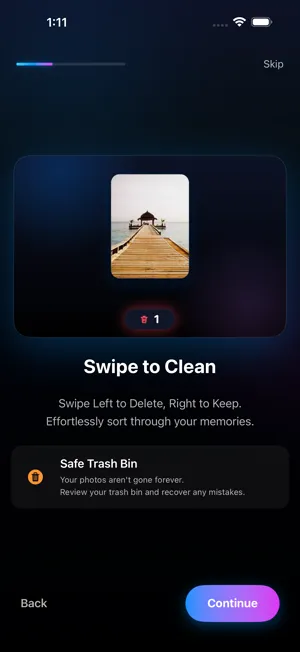
Swipe to clean, with a safe Trash Bin
Swiping is fast because each decision takes a second. Nothing is deleted when you swipe: photos wait in the Trash Bin until you empty it, and even then iOS asks you to confirm and keeps them in Recently Deleted for 30 days.
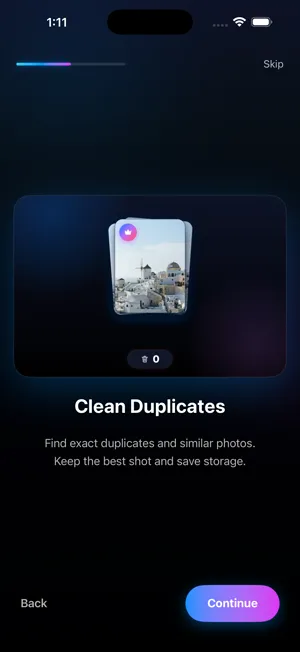
Duplicates and similar shots
The Similars / Duplicates finder groups exact copies and near-identical shots (the five takes of the same group photo) and marks the best one. Keep the best only, or pick your own.
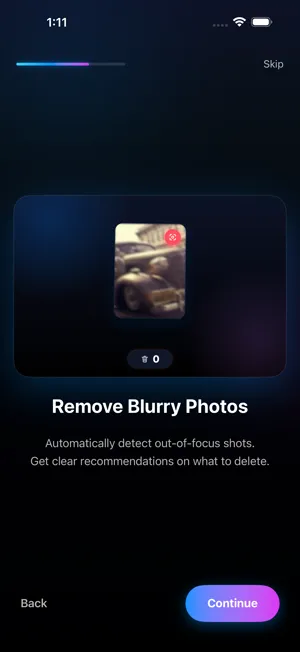
Blur Detection
On-device analysis flags shots that are likely out of focus or shaken, so you can clear them without hunting through thousands of thumbnails.
Largest Files
Sort photos and videos by size, with big 4K videos first. Often the fastest way to free gigabytes. Find large videos
Smart categories
Screenshots, Videos, Live Photos, Bursts and WhatsApp/Messenger photos, each one swipe session away.
Memory Lane
Photos grouped by month so you can relive past years while you tidy them, plus Today's Throwback.
Session recap
After each session, see how many photos you cleaned and how much storage you freed.
Stats and streaks
A few minutes a day adds up. Streaks keep the habit going. The 10-minute method
iPhone and iPad
Works on iOS 17 and later, in English, French, German, Japanese, Russian, Chinese (Simplified) and Spanish.
Illustration from the app's onboarding. How much space you free depends on your library.
Private by design
100% on-device
Duplicate grouping, blur detection and size sorting all run on your device. Your photos never leave it.
No account, no tracking
No sign-up, no ads, no analytics on your library, no data collection. It works offline. Read the privacy policy
What App Store reviewers say
Rated 4.6★ on the App Store (US). Quotes are unedited App Store reviews.
“Literally the only app that actually finds exact duplicates and it does it very quickly. Absolutely love this and I have 6 of these apps I've tried.”
“Absolutely brilliant app. Cleared thousands of old photos and screenshots from my phone in minutes just by swiping.”
“This app is really nice. It does a great job at identifying huge files, blurry images and bad photos.”
Free guides to cleaning up iPhone photos
Each guide starts with what iOS can already do for free, then shows where an app helps.
Delete duplicate photos on iPhone
Step-by-step guide with built-in iOS options first.
Free up iPhone storage from Photos
Step-by-step guide with built-in iOS options first.
Clean up your camera roll fast
Step-by-step guide with built-in iOS options first.
Delete blurry photos on iPhone
Step-by-step guide with built-in iOS options first.
Delete screenshots on iPhone
Step-by-step guide with built-in iOS options first.
Find large videos on iPhone
Step-by-step guide with built-in iOS options first.
iPhone storage full with iCloud Photos
Step-by-step guide with built-in iOS options first.
Comparing apps? Best photo cleaner apps (2026) · Swipewipe alternative · Slidebox alternative
Frequently asked questions
Is Photo Cleaner free?
Yes. Photo Cleaner is free to download and the free tier includes a one-time allowance of 100 deletions. Photo Cleaner Pro is an optional subscription (yearly with a 3-day free trial, monthly or weekly), and there is also a one-time lifetime option.
Does Photo Cleaner upload my photos?
No. All analysis happens on your iPhone or iPad. There is no account, your photos are never uploaded, the app collects no personal data, and it works offline.
Are photos deleted immediately when I swipe left?
No. Swiping left moves a photo to Photo Cleaner's Trash Bin. You review the Trash Bin and can recover anything until you empty it. When you do, iOS asks you to confirm, and the photos then go to the Recently Deleted album in the Photos app, where iOS keeps them for 30 days.
Will deleting photos also delete them from iCloud?
If iCloud Photos is turned on, yes: deleting a photo on one device removes it from iCloud and your other devices too. That is how iCloud Photos sync works, whichever app you use to delete.
How does Photo Cleaner find duplicates?
The Similars / Duplicates finder groups exact copies and near-identical shots, such as several frames of the same moment, and marks the best one. You can keep only the best shot and send the rest to the Trash Bin.
Can it find blurry photos?
Yes. Blur Detection uses on-device analysis to flag likely out-of-focus shots. You still decide what to delete.
Which devices and iOS versions are supported?
iPhone and iPad running iOS 17 or later (iPadOS 17 or later on iPad).
Which languages does the app support?
English, French, German, Japanese, Russian, Chinese (Simplified) and Spanish.
How do I cancel a Photo Cleaner Pro subscription?
Open Settings, tap your name, then Subscriptions, choose Photo Cleaner and tap Cancel Subscription. Subscriptions are managed by Apple, not by the app.
Does Photo Cleaner show ads?
No. There are no ads and no tracking.
Ready to clear the clutter?
Free to download. 100 deletions free, one time. No account needed.